Context
At Wolt, engineers could inspect analytics events in a full-screen view inside the iOS app. It worked, but using it during feature development took too long. The view had no search or filtering, and opening it took over the screen where I tested the feature. Finding one event in a busy session meant reading through everything around it. This made ordinary validation work harder for engineers and product teams: checking a new event, debugging unexpected data, and reviewing instrumentation before release. The viewer displayed the payloads but did not provide a quick way to narrow them to the event or field under investigation.
I initiated and built Telemetry Viewer independently to shorten that loop. I wanted an engineer to keep using the app normally while watching its events on a Mac.
What I built
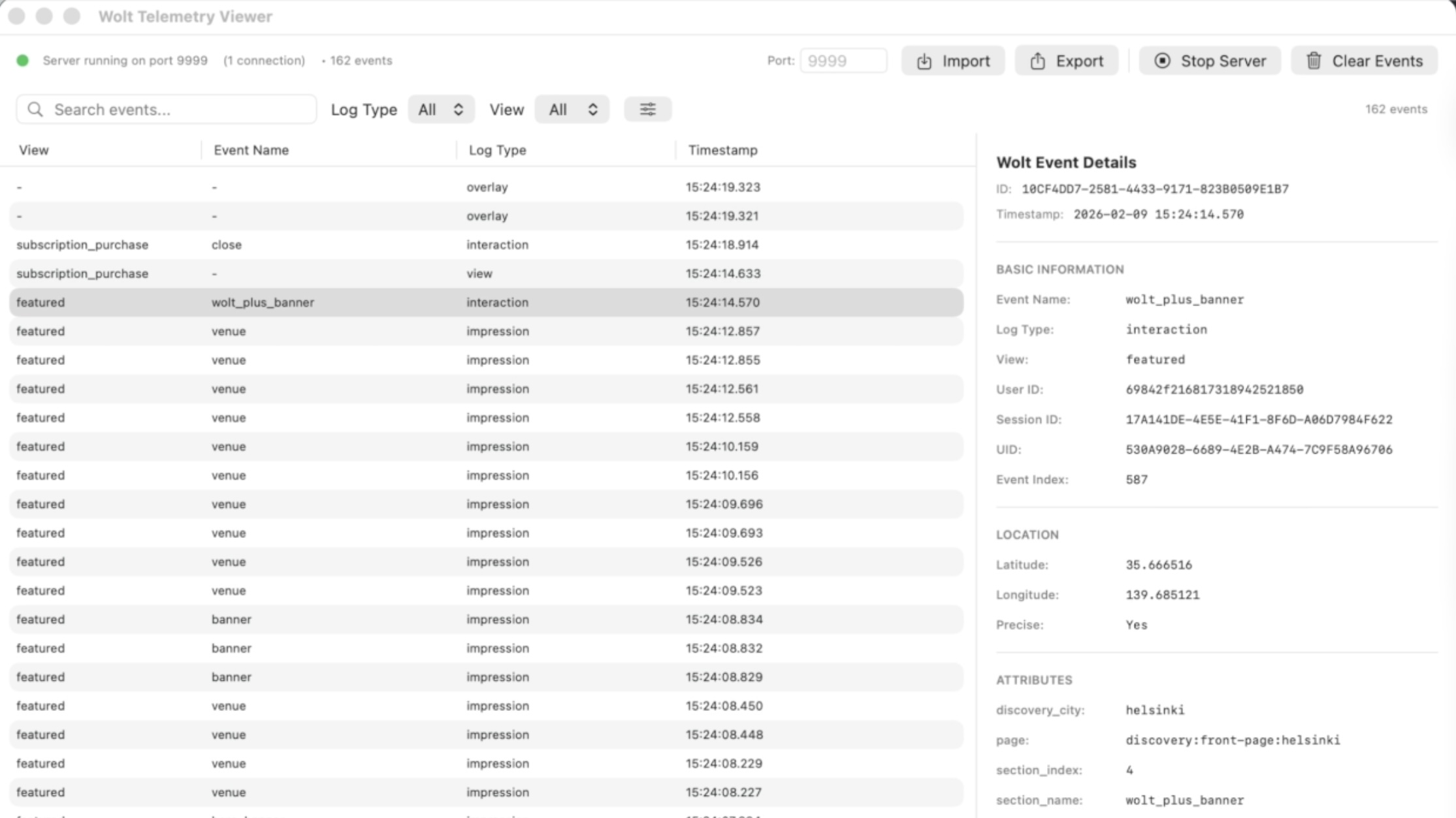
The iOS app streams telemetry events over a local WebSocket to a macOS client. The desktop app shows the event names and payloads sent to backend systems, with search and filtering for narrowing a session to the data under investigation. The event view exposed the complete payload sent to backend systems, so the same client covered both event names and field-level checks.
Keeping the viewer on macOS left the phone available for the test flow.
Rollout
I first shared the tool with a small group of engineers, then demonstrated it more broadly and supported adoption by additional engineers. I developed it from the initial concept through adoption across teams.
I also worked with an Android engineer who built a similar tool for that client. The same approach supported privacy-related telemetry work where teams needed to inspect exactly which data the app emitted.
Results
Teams used Telemetry Viewer to verify analytics, debug unexpected events, and check instrumentation for experiments. Moving inspection off the phone made those checks faster and let engineers keep the feature under test visible. Teams also used it during release validation, which improved confidence that analytics changes matched the intended behavior before rollout.
What I'd do next
If I continued it, I would identify the searches and payload checks people repeat most often, then automate those workflows. I would also document a small compatibility contract for the iOS and Android implementations.